How to implement an article detail page
About 5 min
How to implement an article detail page
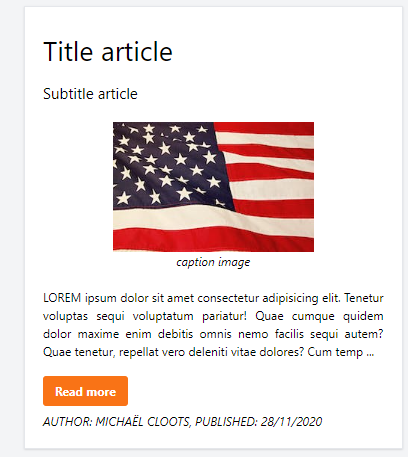
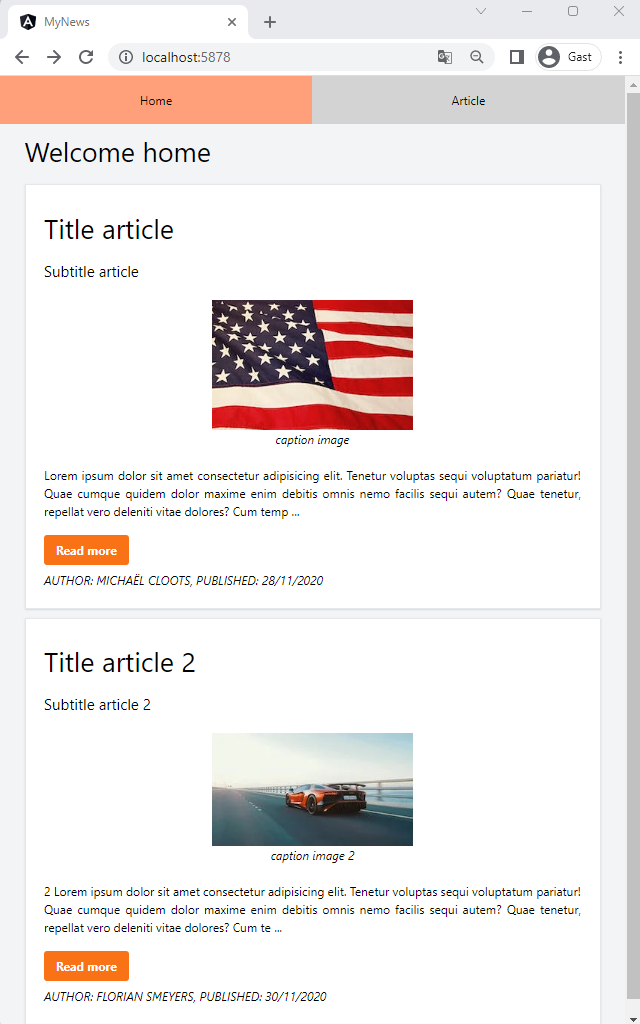
- At the moment we only show an overview of all the articles. These articles are showing the full content.
- We only want to show a brief preview of the article and the possibility to show the full article
- The goals for this module:
- Update our
ArticleServicewith a newgetArticleByIdmethod - Add a reusable
ArticleDetailComponent - Navigate from the
ArticleComponentto theArticleDetailComponent- Adding a
routewith aparameter - Using a
buttonwith aclickevent
- Adding a
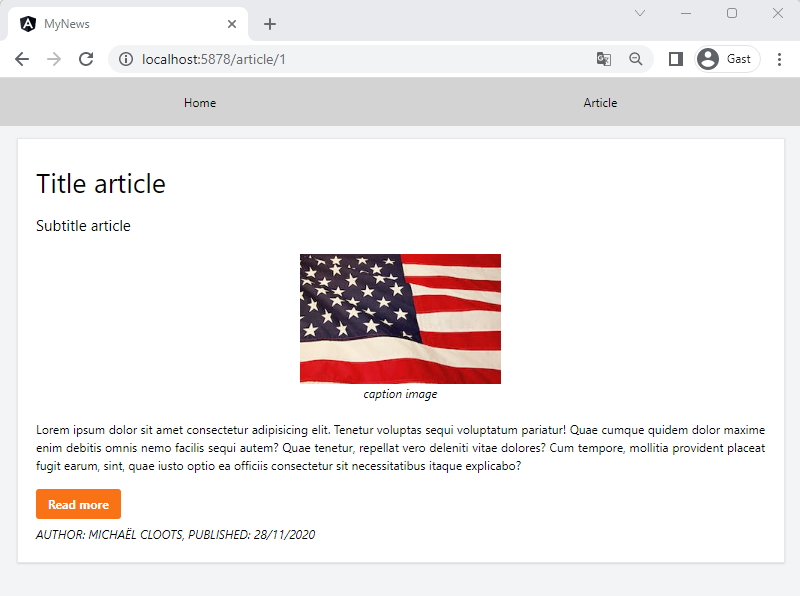
- Show a full version of the article
- Creating a
pipeto limit the content of the article to a chosen amount of characters
- Update our
Update the ArticleService
- Let's improve the
ArticleServiceby- moving our
Article arrayto a private class variable - filling this array in the
constructor - returning this array in the
getArticles()method - creating a new
getArticleByIdmethod
- moving our
import { Injectable } from "@angular/core";
import { Article } from "./article";

@Injectable({
  providedIn: "root",
})
export class ArticleService {
  private articles: Article[] = [];

  constructor() {
    let article1: Article = {
      id: 1,
      title: "Title article",
      subtitle: "Subtitle article",
      imageUrl:
        "https://images.pexels.com/photos/1202723/pexels-photo-1202723.jpeg?auto=compress&cs=tinysrgb&dpr=2&h=100&w=134",
      imageCaption: "caption image",
      content: `Lorem ipsum dolor sit amet consectetur adipisicing elit. Tenetur voluptas sequi voluptatum pariatur! Quae cumque
      quidem dolor maxime enim debitis omnis nemo facilis sequi autem? Quae tenetur, repellat vero deleniti vitae
      dolores? Cum tempore, mollitia provident placeat fugit earum, sint, quae iusto optio ea officiis consectetur sit
      necessitatibus itaque explicabo?`,
      author: "Michaël Cloots",
      publishDate: "28/11/2020",
    };

    let article2: Article = {
      id: 2,
      title: "Title article 2",
      subtitle: "Subtitle article 2",
      imageUrl:
        "https://images.pexels.com/photos/3422964/pexels-photo-3422964.jpeg?auto=compress&cs=tinysrgb&dpr=2&h=100&w=134",
      imageCaption: "caption image 2",
      content: `2 Lorem ipsum dolor sit amet consectetur adipisicing elit. Tenetur voluptas sequi voluptatum pariatur! Quae cumque
      quidem dolor maxime enim debitis omnis nemo facilis sequi autem? Quae tenetur, repellat vero deleniti vitae
      dolores? Cum tempore, mollitia provident placeat fugit earum, sint, quae iusto optio ea officiis consectetur sit
      necessitatibus itaque explicabo?`,
      author: "Florian Smeyers",
      publishDate: "30/11/2020",
    };

    this.articles.push(article1);
    this.articles.push(article2);
  }

  getArticles(): Article[] {
    return this.articles;
  }

  getArticleById(id: number): Article | null {
    return this.articles.find((a) => a.id === id) ?? null; //find = JavaScript method on arrays!
  }
}
| code | description |
|---|---|
getArticleById(id: number) ... | search for an article based on the id, if no article found return null |
Hardcoded vs API
- Remember: for now we work with a hardcoded array, but later on this
servicewill call anAPIto get the articles
Create the ArticleDetailComponent
- Create the
ArticleDetailComponentby executing the following command:
ng g c article-detail-component
article-detail-component.ts
import { Component, inject, OnInit } from "@angular/core";
import { ArticleComponent } from "../article-component/article-component";
import { Article } from "../article";
import { ArticleService } from "../article-service";
import { ActivatedRoute } from "@angular/router";

@Component({
  selector: "app-article-detail-component",
  imports: [ArticleComponent],
  templateUrl: "./article-detail-component.html",
  styleUrl: "./article-detail-component.css",
})
export class ArticleDetailComponent implements OnInit {
  article!: Article;

  private readonly articleService = inject(ArticleService);
  private readonly route = inject(ActivatedRoute);

  ngOnInit(): void {
    const articleId = this.route.snapshot.paramMap.get("id");
    if (articleId != null) {
      let articleTemp = this.articleService.getArticleById(+articleId) ?? null;
      if (articleTemp != null) {
        this.article = articleTemp;
      }
    }
  }
}
| code | description |
|---|---|
ActivatedRoute | we inject the ActivatedRoute so we can access the parameters. ActivatedRoute is part of the @angular/router module, so we import it |
this.route.snapshot.paramMap.get('id') | get the id route parameter. We define this parameter in the route in the AppRoutingModule |
article-detail.component.html
@if(article) {
<app-article-component
  [article]="article"
  [isDetail]="true"
></app-article-component>
}
- Again: because we use the
ArticleComponentin ourarticle-detail.component.html, we have to import it in our component!imports: [CommonModule, ArticleComponent],
- We want to show the full article
- We could copy/paste the content of the
ArticleComponentto thistemplateand show the full article OR we could make ourArticleComponentsmarter by adding anisDetailinputparameter - The second option is the best option, because we want as little duplicate code as possible.
- But before we update the
ArticleComponent, let's configure therouting - Add a new
routewithidas aparameterin theapp.routes.tsfile
import { Routes } from '@angular/router';
import { ArticleComponent } from './article-component/article-component';
import { HomeComponent } from './home-component/home-component';
import { ArticleDetailComponent } from './article-detail-component/article-detail-component';

export const routes: Routes = [
    { path: '', component: HomeComponent },
    { path: 'article', component: ArticleComponent },
    { path: 'article/:id', component: ArticleDetailComponent },
];
Route parameters
:idwill assume that the first number in yourrouteis the id, likehttp://localhost:5878/article/1- Get it by usingthis.route.snapshot.paramMap.get('id')whererouteis theActivatedRoute
Update the ArticleComponent
- Let's update the
ArticleComponent:
import { Component, inject, Input, OnInit } from '@angular/core';
import { Article } from '../article';
import { Router } from '@angular/router';

@Component({
  selector: 'app-article-component',
  imports: [],
  templateUrl: './article-component.html',
  styleUrl: './article-component.css'
})
export class ArticleComponent implements OnInit {
  @Input() article!: Article;
  @Input() isDetail: boolean = false;

  private router = inject(Router);

  ngOnInit(): void {
  }

  detail(id: number) {
    this.router.navigate(['/article', id]);
  }
}
| code | description |
|---|---|
@Input() isDetail: boolean = false; | new input() parameter |
detail(id: number) { ... } | method that we can choose to be executed when a certain user interaction takes place in the template |
this.router.navigate(['/article', id]); | use the router to navigate to the article/:id-path (which will load the ArticleDetailComponent in the router-outlet) |
article.component.html
@if(article) {
<article class="flex flex-col justify-between h-full bg-white border-gray-200 border-2 p-6 shadow">
    <h1 class="text-4xl my-3">{{article.title}}</h1>
    <h4 class="text-xl my-3">{{article.subtitle}}</h4>
    <figure class="self-center my-3">
        <img class="max-w-full h-auto" src="{{article.imageUrl}}" alt="{{article.imageCaption}}">
        <figcaption class="italic text-center">{{article.imageCaption}}</figcaption>
    </figure>
    @if(!isDetail) {
    <p class="text-justify my-3">
        {{article.content}}
    </p>
    } @else {
    <p class="text-justify my-3">
        {{article.content}}
    </p>
    }
    <p class="py-2">
        <button class="bg-orange-500 hover:bg-orange-700 text-white font-bold py-2 px-4 rounded" (click)="detail(article.id)">Read more</button>
    </p>
    <footer class="italic uppercase">
        <p>Author: {{article.author}}, Published: {{article.publishDate}}</p>
    </footer>
</article>
}
| code | description |
|---|---|
@if(!isDetail) { ... } | based on the property isDetail we want to show the short or full content |
(click)="detail(article.id)" | click event that executes the detail() method with the id of the article as parameter |
Create a pipe
- All good, but we need to change how the content of an article is displayed. In detail mode we want to show the content entirely, else we just want to show the first x characters, trailed by
... - Values can be easily transformed by using
pipes. Angular has some built-inpipes, but we will create one ourselves - Execute the following command te create the
ShortenContentPipe:
ng g pipe shorten-content
- Modify the
shorten-content.pipe.tsfile
import { Pipe, PipeTransform } from "@angular/core";

@Pipe({
  name: "shortenContent",
})
export class ShortenContentPipe implements PipeTransform {
  transform(value: string, numberOfCharacters?: number): string {
    if (value.length < (numberOfCharacters ?? 250)) {
      return value;
    } else {
      return value.slice(0, numberOfCharacters ?? 250) + " ...";
    }
  }
}
- The basic idea of a
pipeis that it receives a value, transforms it, and returns the new transformed value - The first
parameteris the received value, the second one is anargument. In this case we want to specify the number of characters which are allowed for the short content - In the
transformmethod we perform thetransformationand return the new value - We can now use this pipe in the template
article-component.html:
@if(article) {
<article class="flex flex-col justify-between h-full bg-white border-gray-200 border-2 p-6 shadow">
    <h1 class="text-4xl my-3">{{article.title}}</h1>
    <h4 class="text-xl my-3">{{article.subtitle}}</h4>
    <figure class="self-center my-3">
        <img class="max-w-full h-auto" src="{{article.imageUrl}}" alt="{{article.imageCaption}}">
        <figcaption class="italic text-center">{{article.imageCaption}}</figcaption>
    </figure>
    @if(!isDetail) {
    <p class="text-justify my-3">
        {{article.content | shortenContent : 250}}
    </p>
    } @else {
    <p class="text-justify my-3">
        {{article.content}}
    </p>
    }
    <p class="py-2">
        <button class="bg-orange-500 hover:bg-orange-700 text-white font-bold py-2 px-4 rounded" (click)="detail(article.id)">Read more</button>
    </p>
    <footer class="italic uppercase">
        <p>Author: {{article.author}}, Published: {{article.publishDate}}</p>
    </footer>
</article>
}
Pipe notation
- Using a
pipealways requires the following notation: - Within double curly braces - Using the|(pipe) symbol after theproperty- Arguments after the:(colon)
ArticleComponent
- A standalone
pipeshould always be imported by thecomponentthat is using it! - We are using the
pipein theArticleComponent, so we add it to theimportsarray:
// article.component.ts
@Component({
  selector: 'app-article-component',
  imports: [ShortenContentPipe],
  templateUrl: './article-component.html',
  styleUrls: ['./article-component.css']
})
export class ArticleComponent implements OnInit {
Result:
Exercise
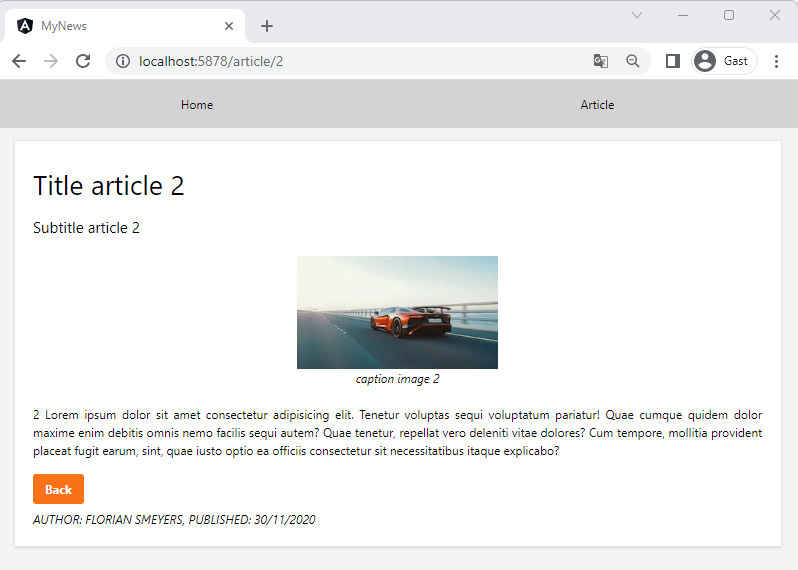
- At this moment the article in the detail page also has the 'Read more' button - Remove this button (only when on the detail page) - Add a new button to go back the previous page
TIP
You can write JavaScript in your component to go back to the previous page
Result:
Exercise
- Create a new pipe to capitalize the first word of the content
Result: