
Environment variables & .env files
Environment variables & .env files
Environment variables are key–value settings (e.g., API_URL, LOG_LEVEL) that let us change an app's behavior without changing code. They're vital for:
- Separation of config from code
- Safer deployments (no hard-coded secrets)
- Environment parity (development/test/production behave predictably)
In software engineering, we want to use .env files to distinguish deploy environments:
.env.development– local developer settings.env.test– testing settings.env.production– production settings.env.local– developer overrides (git-ignored)- Commit a
.env.examplewith placeholder values, never real secrets.
Security note
Don’t commit secrets. Use a secret manager or CI/CD variables in real deployments. For front-end builds, remember anything baked into the bundle isn’t secret—expose only what’s safe.
Setting up .env files in the Angular app in Nx
Install the @ngx-env/builder package, which will look for .env files when building the application.
npm install @ngx-env/builder --save-dev
In the project.json from the apps/swe-demo application, change the executors so it uses the @ngx-env/builder. Do this for all the targets = build, serve and extract-i18n.
"build": {
      "executor": "@ngx-env/builder:application",
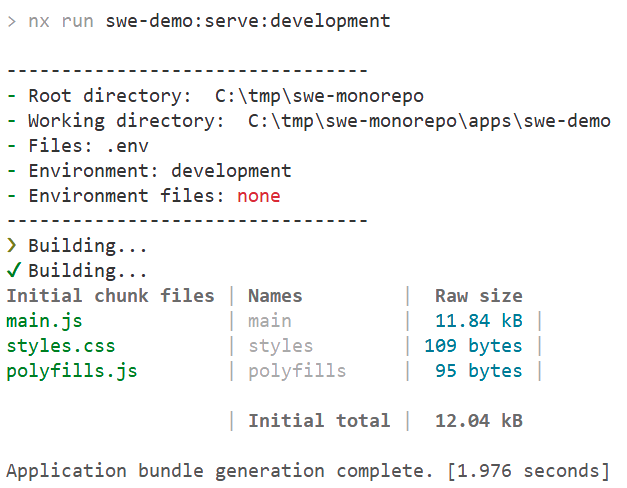
Now serve the application and check in the logs how the build is looking for environment files (which aren't found at the moment!)
How to work with variables from .env files
Create a type definition file for the .env files in the Angular app apps/swe-demo. You have to do these steps for each Angular applications that needs to work with the environment variables set in .env files. You have to create this env.d.ts in the src folder of the Angular application:
declare interface Env {
  readonly NODE_ENV: string;
  [key: string]: any;
}
declare interface ImportMeta {
  readonly env: Env;
}
Now create a .env file in the root of the Angular app apps/swe-demo and add the following content.
NG_APP_TEST_VALUE='This is a test value'
Prefix!
Each key in an Angular .env file should be prefixed by NG_APP_
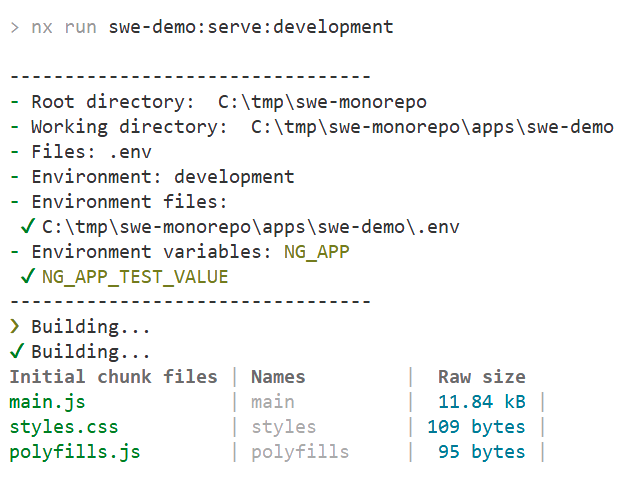
Now serve the application and check in the logs how the build is finding our environment variable from the .env file
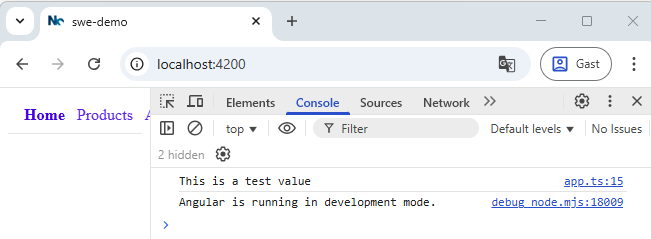
To prove that we can use these values in our Angular application we can access them and log the value to the console:
//apps/swe-demo/src/app/app.ts
@Component({
  imports: [RouterModule, NavbarContainer],
  selector: "app-root",
  templateUrl: "./app.html",
  styleUrl: "./app.css",
})
export class App implements OnInit {
  protected title = "swe-demo";

  ngOnInit(): void {
    console.log(import.meta.env["NG_APP_TEST_VALUE"]);
  }
}
gitignore
- Always add your
.envfiles to gitignore - You can create a
.env.examplewith only the keys (not the values) so other developers know how to create a correct.envbased on it
Using .env values in libs
We can access the .env values in libs by adding the env.d.ts type definition in the src folder of the lib (e.g libs/swe-demo/feature/src). A library is always a part of an Angular application, so the build of an application will get the value from the application's .env file and pass it to the library.